 Julsai
Get Julsai
Julsai
Get Julsai
Write in the flow.
Read, edit, and return to Markdown—on one continuous surface.
Free · macOS 14+
Plain text
a brighter place
to think.
One document.
Three ways to work.
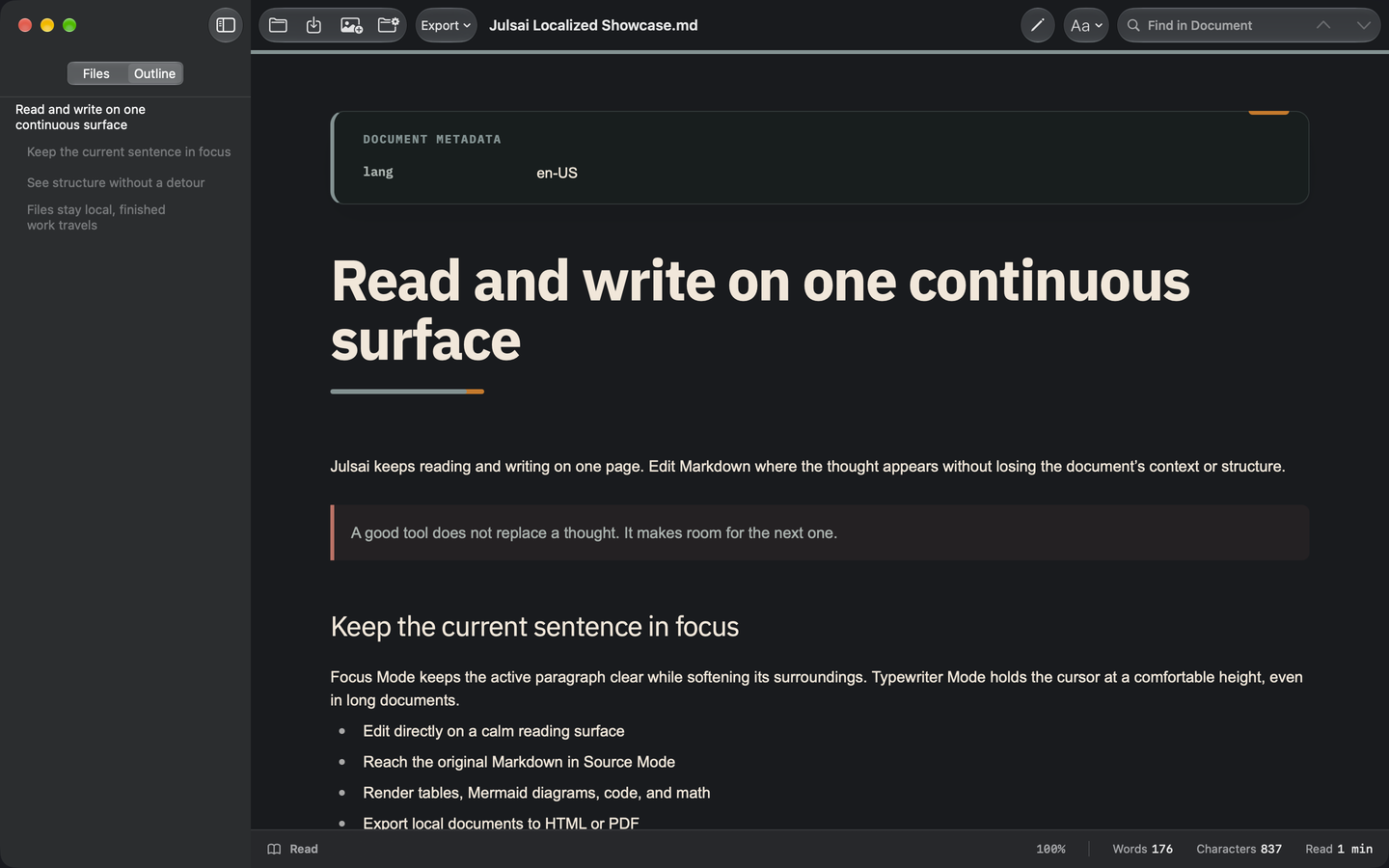
Read, edit, or view the source—without changing files or losing your place. Julsai keeps it simple and close to your Markdown.
A Quiet Morning
The morning light was softer today. I opened my notebook and let the thoughts arrive without hurry.
Good writing is a conversation with your future self.
- Clear words
- A calmer mind
- A more open tomorrow
That’s why I keep a journal.
Interactive website example · not saved to a file
Same words.
Your own atmosphere.
Three Color Styles, each with its own palette and typography. Choose Julsai, Cyberpunk, or Postal Editorial—then choose Light or Dark independently.


Actual app details · same document, Read view, 100% zoom, Light appearance. Only the Color Style changes.
Keep the sentence.
Keep the context.
Focus Mode keeps the active paragraph clear while softening its surroundings. Typewriter Mode holds the cursor at a comfortable height, even in long documents.
The airport was quiet, and the early light made everything feel possible.
A good tool does not replace a thought.
It makes room for the next one.
So I opened Julsai and kept writing,
one sentence at a time.
Made for your Mac
Your words.
Your language.
Julsai follows your Mac’s preferred language automatically.
Read and write Markdown in a familiar interface.
Structure, without
the detour.
Tables, diagrams, code blocks, and more—right in your document. Keep structure inside the page, not in separate tools.
| Language | Type | Status |
|---|---|---|
| Markdown | Plain text | Always |
| Diagrams | Mermaid | In document |
| Export | HTML · PDF | Keep one file |
const thought = "Keep writing.";
console.log(thought);
Keep code blocks alongside your prose.
flowchart LR
  Draft --> Edit --> Share
In Julsai, Mermaid source becomes a diagram inside the document.
Finish here. Share anywhere.
Export a document to HTML or PDF in Julsai. Your Markdown remains the source.
This website example does not export files.
Your files
remain yours.
No account. No ads. No operator-controlled document server.
Where are my files stored?
In locations you choose on your Mac. External links and remote media may use the network; see our privacy policy.
Can I use my existing Markdown?
Yes. Open your Markdown or text files and move between reading, editing, and source. Three color styles—Julsai, Cyberpunk, and Postal Editorial—and 75–200% document zoom help you find a comfortable view.
How do I share my writing?
Export your document to HTML or PDF directly from Julsai. Keep your Markdown as the source, and share a finished copy.